Day 8 · Bonus session
Build a Chatbot
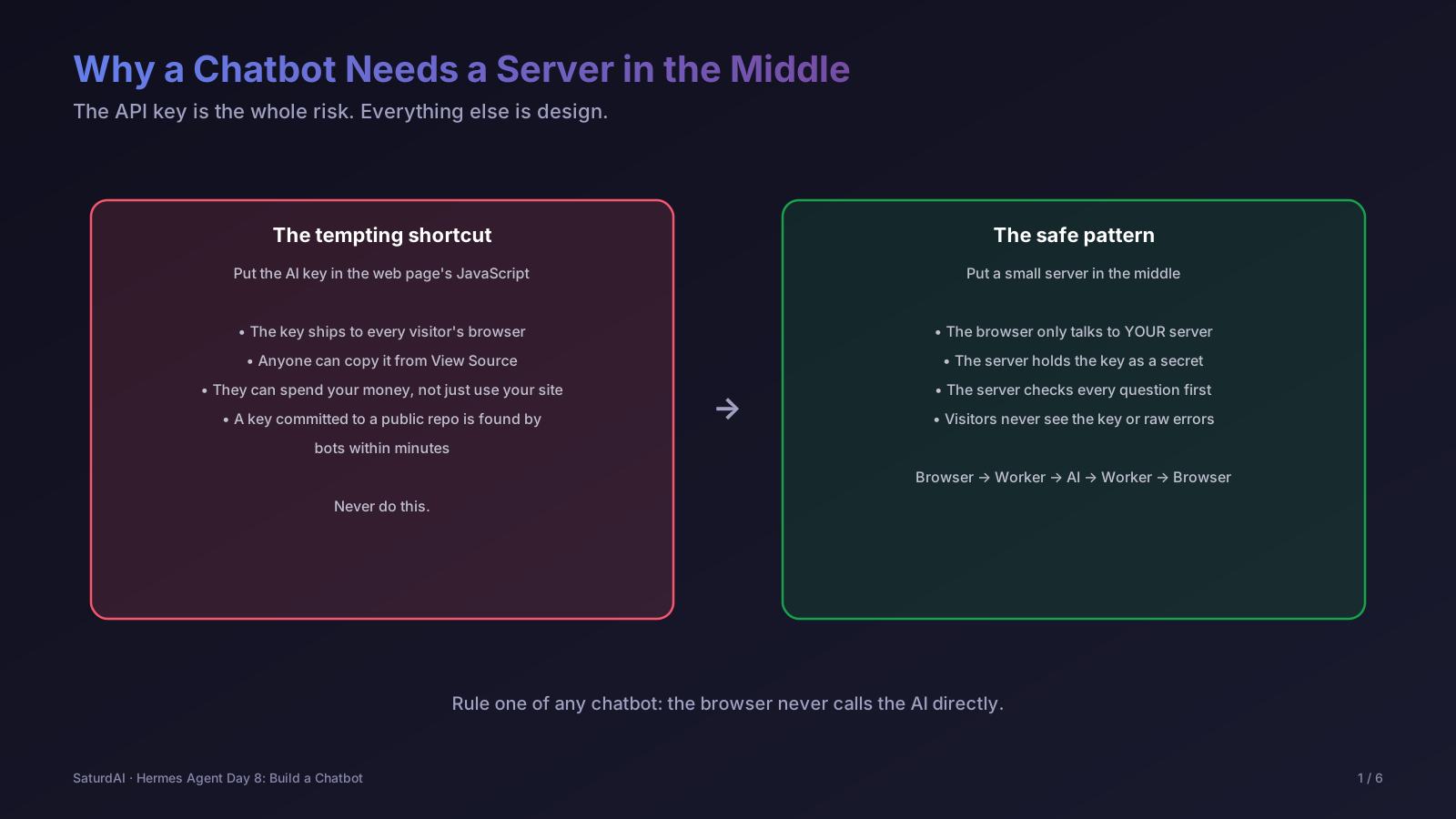
A bonus session after the capstone. Instead of an agent that runs on your own machine, this one builds a chatbot that anyone on the internet can use: a web page, a small server that holds the secret API key, and a language model that writes the answers. It is the same pattern behind most public AI assistants, and it comes with the safety and cost controls a public endpoint needs.
Try the finished chatbot: jayaram.preparingforinterviews.com/ask is a live AI career coach built exactly this way, and its Day 8 page has a full diagram and build steps. Its source is public at github.com/jayaramcloud/jayaram-app.
Objectives
- Explain why a chatbot must never call the AI from the browser, and what a server in the middle does
- Create an API key, set a spend limit, and store the key as a secret instead of in code
- Write a small Worker that validates a question, calls the model, and returns the answer
- Apply safety and cost controls: input limits, an on-topic system prompt, safe display, and a spend cap
- Test honestly, including the parts that do not work as hoped
Lab: build the chatbot
First create a key in the Anthropic Console: add billing credit, set a monthly spend limit, then choose API Keys and Create Key. The key is shown only once. Store it as a secret on your Worker; the command prompts for the value, so it never goes into a file or the repo:
$ npx wrangler secret put ANTHROPIC_API_KEYThen point the Worker config at your code while still serving the static pages, sending only /api/* requests to the Worker:
{
  "name": "my-chatbot",
  "main": "src/worker.js",
  "assets": { "directory": "./public", "binding": "ASSETS", "run_worker_first": ["/api/*"] },
  "vars": { "CLAUDE_MODEL": "claude-haiku-5-5" }
}The heart of the Worker is one call to the Messages API. The key is read from the environment, never written in the file:
const upstream = await fetch("https://api.anthropic.com/v1/messages", {
  method: "POST",
  headers: {
    "content-type": "application/json",
    "x-api-key": env.ANTHROPIC_API_KEY,
    "anthropic-version": "2023-06-01",
  },
  body: JSON.stringify({
    model: env.CLAUDE_MODEL,
    max_tokens: 450,
    system: SYSTEM_PROMPT,
    messages: [...history, { role: "user", content: question }],
  }),
});Finally, check the deployed endpoint end to end with a real question, then confirm the key does not appear in anything the site serves:
$ curl -s -X POST https://YOUR-SITE/api/ask \
    -H 'content-type: application/json' \
    -d '{"question":"How do I answer: Tell me about yourself?"}'

$ curl -s https://YOUR-SITE/ | grep -c "sk-ant"
0Cost and safety: a public chatbot spends real money on every question. Set a monthly limit on the key in the Anthropic Console before you publish the page, and remember that keys expire. Never paste a key into a chat, a screenshot, or a file in a public repository.
Session notes: to be filled in after the live session.